
Home » Download

Download 499BD App for Faster Play and Trusted Mobile Access
Fast, secure 499BD app download for real-time play on your phone
Skip slow loads and jump straight into action on mobile. The 499BD app focuses on fast access, clear controls, and a lighter data footprint. Tap in for live cricket, JILI slots, and quick support—all built for one-hand use on smaller screens. Your account stays synced, so you can move from web to app without hassle.
Install only from the 499BD official site for the latest build, verified files, and reliable updates. Use the 499BD Official Link if you prefer a single trusted entry point. After setup, complete 499BD login and you’re ready to play on the go.
Why the 499BD mobile app is better for fast play and control
The app is tuned for mobile habits in BD—quick taps, short sessions, and instant access. It keeps pages light, trims extra steps, and helps you act fast during busy match moments.
Instant access with lighter data use
Pages load faster than most mobile sites. Core screens cache smartly, so you spend less data while moving between markets and games.
Live cricket odds and JILI slots in one clean dashboard
Switch from today’s cricket markets to JILI slots without hunting through menus. The layout keeps key actions within thumb reach, even on smaller phones.
Safer account access with device lock and quick login
Secure your profile with PIN, fingerprint, or Face ID (device-dependent). One-tap 499BD login brings you back to where you left off.
Local-friendly checks that reduce payment and account mismatches
Account name verification helps match your profile name with the payment name. This reduces delays and builds trust when you transact.
Simple sign-up with guided steps for new players
New here? Tap 499BD Register and follow the short form. The app guides you with clear hints, so you can finish in minutes.
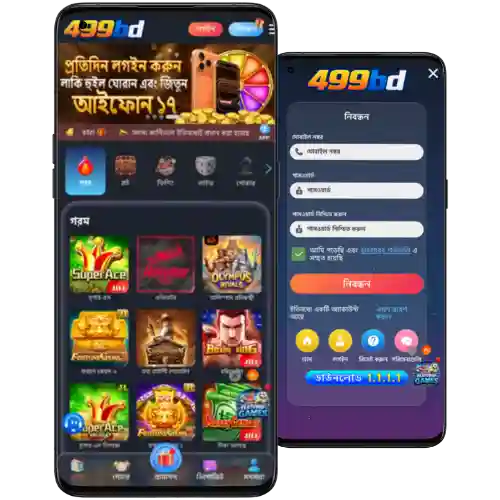
Step-by-step guide to download, install, and open the 499BD app
Android APK install steps
- Open Chrome and visit the 499BD official site.
- Tap Download App to get the latest 499BD apk.
- When prompted, allow Chrome to install unknown apps (one-time change).
- Open the downloaded file and tap Install. Wait for confirmation.
- Launch the app, allow notifications if you want instant match and promo alerts.
- Log in or create your account to start playing right away.
iOS quick access steps
- Open Safari and go to the 499BD official site.
- Tap the Share icon, then choose Add to Home Screen to create the app icon.
- Open the icon, complete sign-in, and keep the tab active for push-style alerts via Safari settings.
- If a native iOS build is offered in-app, follow the on-screen guide to finish installation.
Features built for speed, low data use, and quick in-app navigation
- Fast loads during peak match times, even on mid-range devices.
- One-tap login with PIN, fingerprint, or Face ID support where available.
- Real-time alerts for live cricket odds swings, results, and payout updates.
- Clean navigation that keeps markets, JILI slots, and support a tap away.
- Data-light screens designed for mobile networks with variable speeds.
- Smart search for leagues, teams, slots, and recent pages you visited.
Exclusive app promotions, reload rewards, and time-limited campaign alerts for regular players
Install the app to unlock early campaign alerts and steady reload offers tailored to mobile users. You’ll see pop-up reminders before big matches and weekend slot events.
Watch for app tags on promos, free-spin drops on select JILI titles, and live cricket boosts during marquee fixtures. Some offers require opt-in inside the app or a short code entry at checkout, so keep notifications on for best timing. Track your 499BD bonus progress from the promo wallet view.
Safe installation practices and keeping your 499BD app updated correctly
Only install from the 499BD official site. Avoid third-party mirrors and file-sharing groups. Files from unknown sources can be altered and may risk your data.
Review permissions during install. The app asks for what it needs, like storage access for the APK and optional notifications for match updates. You can manage these anytime in settings.
Keep updates current. New builds improve speed, fix bugs, and add features. If something looks off after an update, clear cache and reopen the app, or reinstall from the official site.
- Bookmark the official site so you always use the right link.
- Compare the version number shown in-app with the one on the site.
- Set a device lock (PIN/biometric) for extra account protection.
- Never share OTPs or support codes with anyone.
Frequently asked questions about downloading and installing the 499BD app
Where do I get the real app safely?
The only safe 499BD app download is from the 499BD official site. Do not use unofficial stores or file-sharing links.
Is the Android APK safe to install?
Yes—when it comes from the official site. Check the file name, enable Install unknown apps for Chrome only, and confirm the version matches the site.
How do I add the app on my iPhone?
Open Safari, visit the official site, and choose Add to Home Screen. If a native iOS build becomes available, the site will guide you step by step.
Why won’t the app install on my phone?
Free some storage, enable unknown apps for Chrome (Android), delete any old APK, and restart your device. Then try installing again from the official site.
Can I log in and use payments inside the app?
Yes. Use your 499BD login to access your wallet. For faster processing, keep your profile name the same as your payment name.
Download the app now and start playing with trusted mobile access
Install the 499BD app for fast live cricket markets, JILI slots, and quick support in one place. Lighter pages and smart alerts keep you ready for every moment.
Use the official site to install, sign in, and enjoy focused mobile play with strong account protection. Get set up in minutes and take control from your phone today.